Android apps & device automation
Native Android with Kotlin, background scheduling, AccessibilityService automation and apps that must run unattended for hours.
I’m Jesper Nybøle Toustrup, the developer behind NyboleDigital. I build small software products, MVPs and automations – and I test them on real devices, with real users, until they hold up. AI-assisted development lets me move fast. Disciplined testing makes the result trustworthy.
I take an idea from a rough description to something that runs, can be tested and can be shown to customers – with clear documentation of what works and what doesn’t yet.
Native Android with Kotlin, background scheduling, AccessibilityService automation and apps that must run unattended for hours.
From idea to something you can click, test and show to customers or investors – fast, honest about its limits and well documented.
Email triage, data extraction and follow-ups with tools like n8n, OpenAI and Google Sheets – with a human approval step where it matters.
Custom Android builds, flashing and recovery tooling, boot diagnostics and integration with in-car displays.
I use AI coding tools – mainly Claude Code – as a fast, tireless pair programmer. I stay responsible for what matters: the requirements, the decisions, the testing on real hardware and what is released.
Each case below explains the problem, the technical approach and the current status – including what is not finished yet.
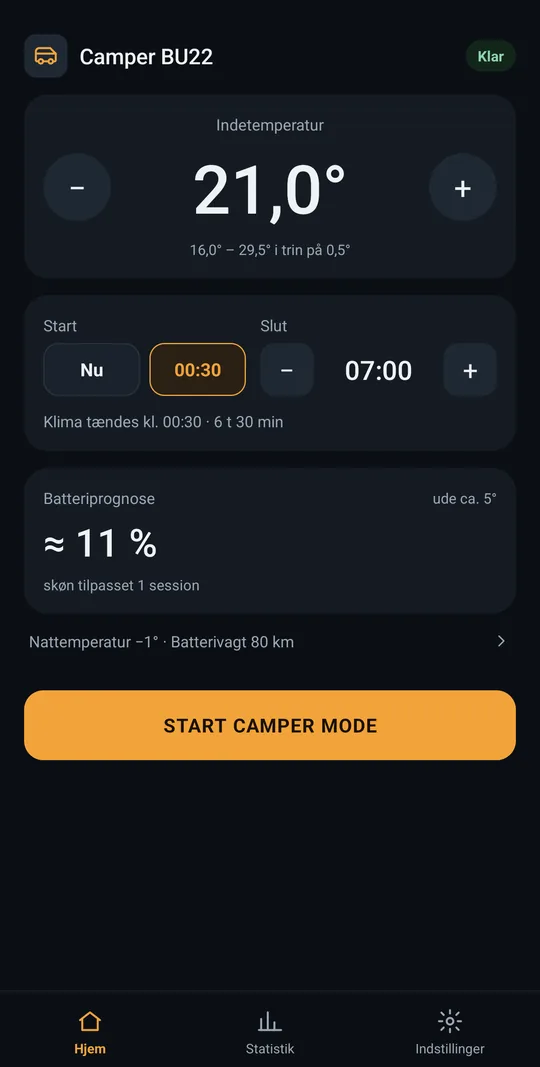
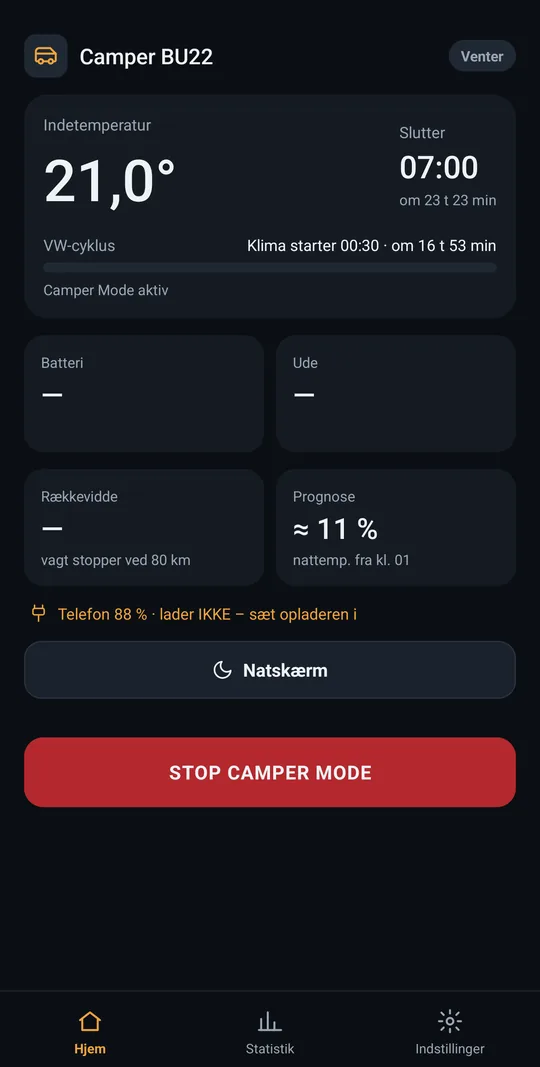
An Android app that keeps an electric camper van’s parked climate running all night by operating the official VW app through Android Accessibility.
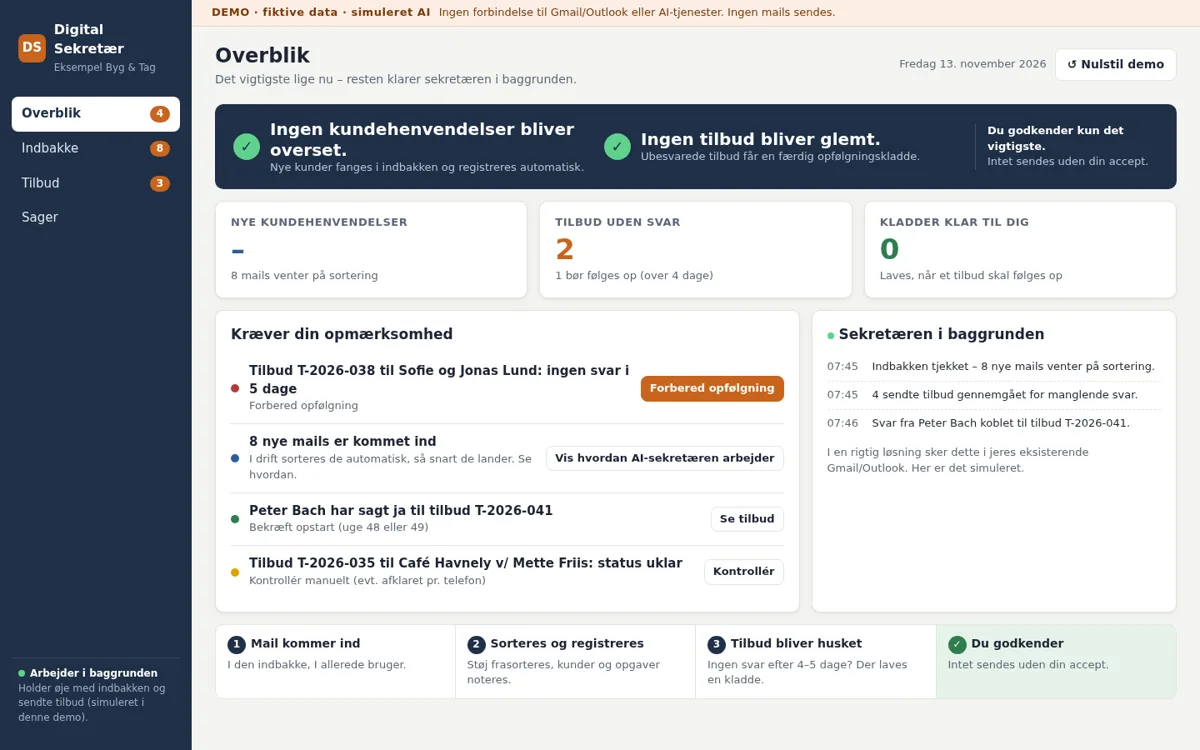
An interactive sales demo of a “digital secretary” that sorts incoming email, extracts customer details and prepares follow-up drafts for the owner to approve.
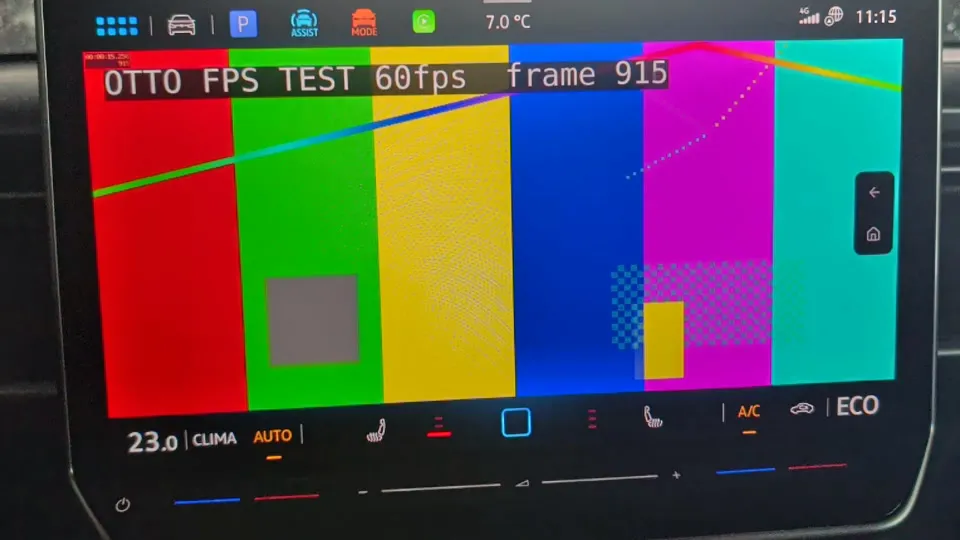
Android 17 on an Ottocast car box: CarPlay video to the car screen and Google Maps turn-by-turn arrows in the instrument cluster.
This is a working simulation of the real app’s night logic: choose a temperature and times, start a session, and watch the 28-minute restart cycle, verification, retries and the event log. No Android phone, VW account or car needed.
Unofficial hobby project, not affiliated with Volkswagen. Use at your own risk.
Camper BU22 is a beta and can fail, for example if the phone loses internet, is locked, or the VW app changes. Then the climate stops after about 30 minutes.
Never use the app as the only safeguard for animals in the car. Check the temperature in the VW app yourself regularly, and stay within reach.
The phone will vibrate and sound an alarm if something goes wrong. Keep it with you or within earshot, with the sound on.
Starts a session now with your settings and fast-forwards to the end time. Add a simulated VW hiccup to watch the retry logic work.
The simulation runs entirely in your browser and sends nothing anywhere. Timing rules, log codes and the battery model come from the real app’s 0.4.0-beta source and documented 0.3.x night logs; the car, the weather and the VW app are simulated.
An Android app that does what a half-asleep person would otherwise have to do every half hour: restart the parked climate in the official VW app.
A VW ID. Buzz from model year 2026 or earlier runs its parked climate for about 30 minutes and then switches off. There is no built-in camping mode in those model years, and VW’s API is closed to third-party apps. Sleeping in the van on a cold night means waking up every half hour to restart the heating.
Camper BU22 runs on an Android phone left on a charger in the car. Every 28 minutes it opens the official VW app, checks the current state and restarts the climate – through Android’s AccessibilityService, exactly like a person tapping the screen. There is no API hack, no reverse engineering of VW servers, and the app never stores VW login details.
Could a phone do the half-hourly restart? The API route was ruled out because VW requires device attestation since mid-2026.
An accessibility service that finds the climate control and toggles it, plus calibration of tap timing.
Night tests in my own car, logs pulled every morning, then external testers on other phones.
Example: rare 60-second hangs were traced to a loop between two VW screens after an optional battery reading. The root cause was confirmed in the code.
A loop cap, an 8-second watchdog and adaptive per-device patience. The interval went from 29 to 28 minutes for a 2-minute safety margin.
0.2 → 0.3.2 with 10 external testers. 0.4.0-beta adds six languages, in-app help and the robustness fixes.
0.4 is built and contains the fixes from round 1, but it is not validated yet. Night tests and the next external tester round are still pending. 0.4 results will be published here separately when they exist.
| Night | Build | Device | Duration | Result | Notes |
|---|---|---|---|---|---|
| A | 0.3 dev | Google Pixel | 3.4 h | ✓ 7/7 restarts verified | Delayed start fired on time; night temperature switch worked. Battery used 5 % vs 4 % forecast (outside 4 °C). |
| B | 0.3.1 | Google Pixel | 3.5 h | ✓ 8 restarts, completed | Night-temperature switch at 01:00 OK; a VW pop-up was dismissed automatically. |
| C | 0.3.2 | Xiaomi | 4.5 h | ✓ Completed | Target temperature held all night (outside 7 °C, car charging). 3 unconfirmed starts, all self-healed. |
| D | 0.3.2 | Xiaomi | 3.5 h | ✓ Completed | Cold night (1 °C), not charging: 1.43 % battery per hour, forecast 5 % = actual 5 %. 5 short hangs, all self-healed. |
| E | 0.3.2 | Lenovo tablet | 8 h | ✓ Completed | 3 × 60-second hangs, all self-healed – the main input for the 0.4 watchdog fix. |
| F | 0.3.2 | Google Pixel | ~2 h | ✓ Session clean, 4 restarts | First-time calibration took 43 minutes on this phone, which led to clearer feedback and faster escape in 0.4. |
Pending – no 0.4 results are claimed yet. Planned before 1.0:
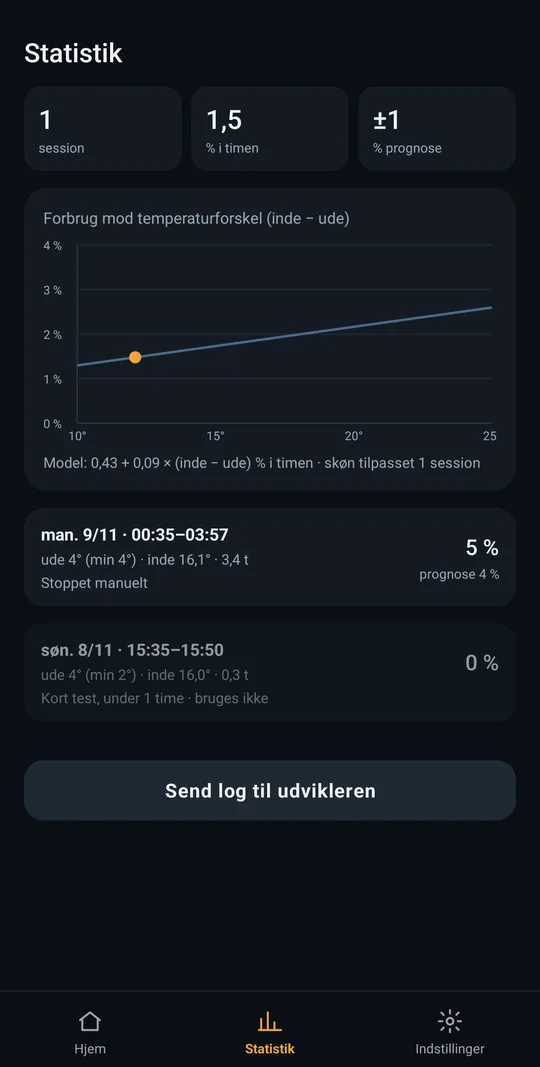
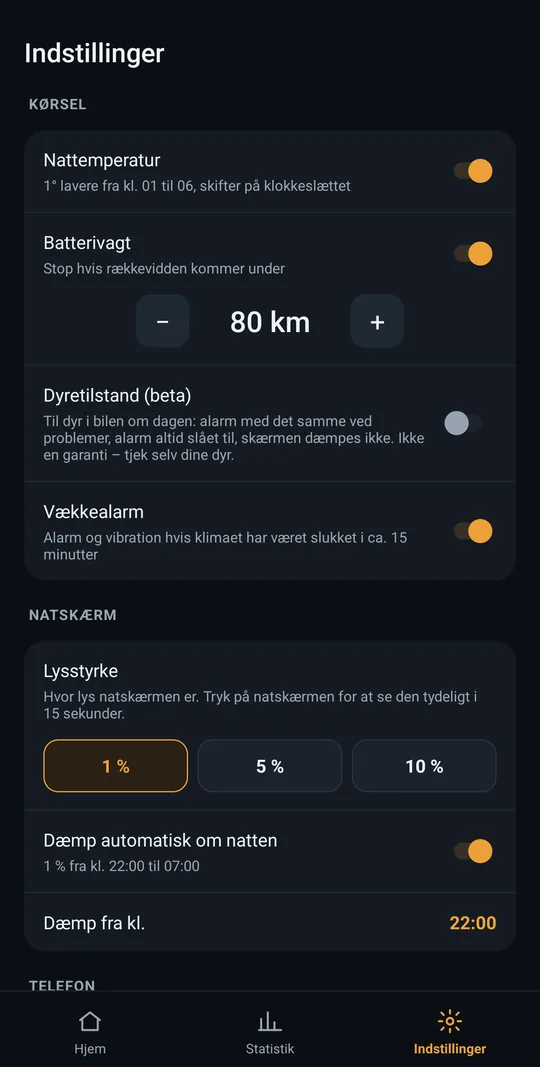
Screenshots from the 0.3.x beta (Danish UI) on a Google Pixel. The 0.4 interface is similar and also available in English, German, French, Spanish and Dutch.
Animal mode is not a safety system. Animal mode (beta) raises alarms immediately and keeps the screen on, but the app can fail – no internet, a locked phone, a VW outage or a changed VW app. It must never be the only safeguard for animals or people in a vehicle. Always check the temperature yourself and stay within reach.
Not a Volkswagen product. Camper BU22 is an independent hobby project. It is not made, endorsed or approved by Volkswagen. It works with the official VW app that the user already has.
No public download. 0.4-beta is only distributed through a controlled beta test with a separate sign-up. It is not available from this website. A public 1.0 release is planned for later.
Depends on VW’s app and servers. If VW’s servers are down or the car loses its connection, no app can restart the climate, and it stops after about 30 minutes. 0.4 detects this and tells the user plainly instead of failing silently.
A tradesperson’s inbox is full of enquiries, supplier mails and noise, and quotes without a reply are easily forgotten. I built an interactive concept demo that shows how an AI secretary could work invisibly in the inbox they already use.
A self-contained, offline sales demo (one HTML file) that walks through the full flow in 60–90 seconds, plus a 73-second screen recording and a written technical delivery plan.
n8n as the workflow engine, Gmail via OAuth, OpenAI with a fixed JSON schema for classification and extraction, and Google Sheets as the overview. The known risks are mapped with mitigations: thread matching, replies by phone, GDPR and data processing agreements, and AI misclassification.
101 of 101 automated checks passed in a simulated browser DOM. The layout was checked in Chromium at 390×844 (mobile), 1366×768 and 1920×1080, with fixes for mobile overflow and touch targets.
Honest status: this is a concept demo. The AI and email integrations are simulated. The real MVP is scoped and planned, but not built.
An Ottocast P3 Pro car box moved from its stock Android 13 to an Android 17 system image while keeping the original CarPlay chain. In the car it shows Google Maps as a home screen through a custom launcher, streams it to the car screen as CarPlay video and sends turn-by-turn arrows to the instrument cluster.
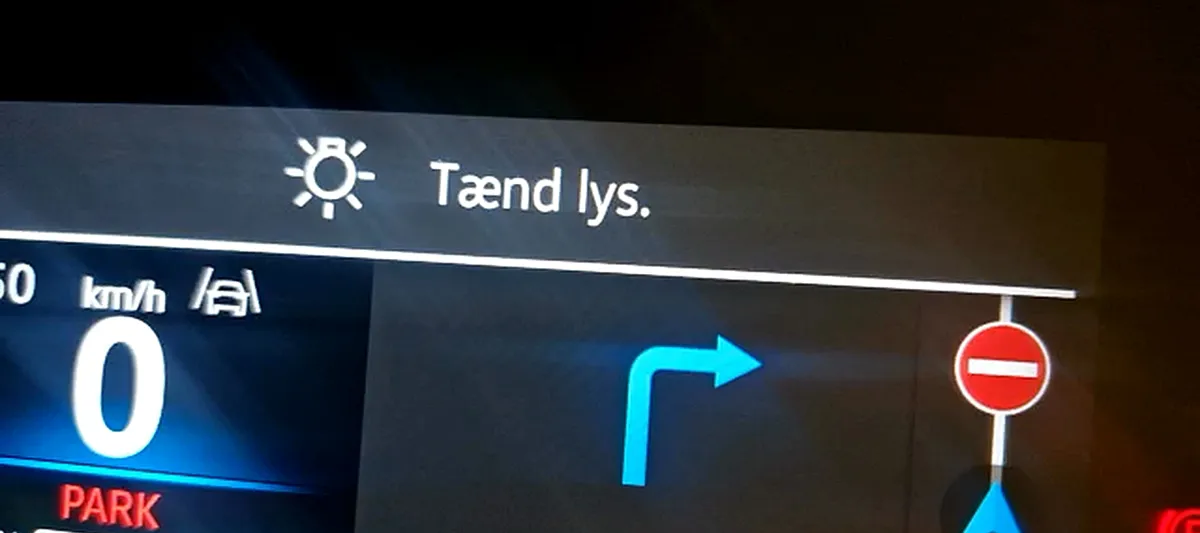
OTTO shows the low-level side of my work: debugging hardware that fails in unclear ways, writing my own tools when existing ones don’t hold up, and documenting what doesn’t work as carefully as what does.
I’m looking for well-defined projects where a small, focused build makes a real difference. I work remotely in English and Danish.
jesper@stabilt-wifi.dk